
Using screenshots to track user context for AI agent didn't work. macOS Accessibility API did.

TL;DR
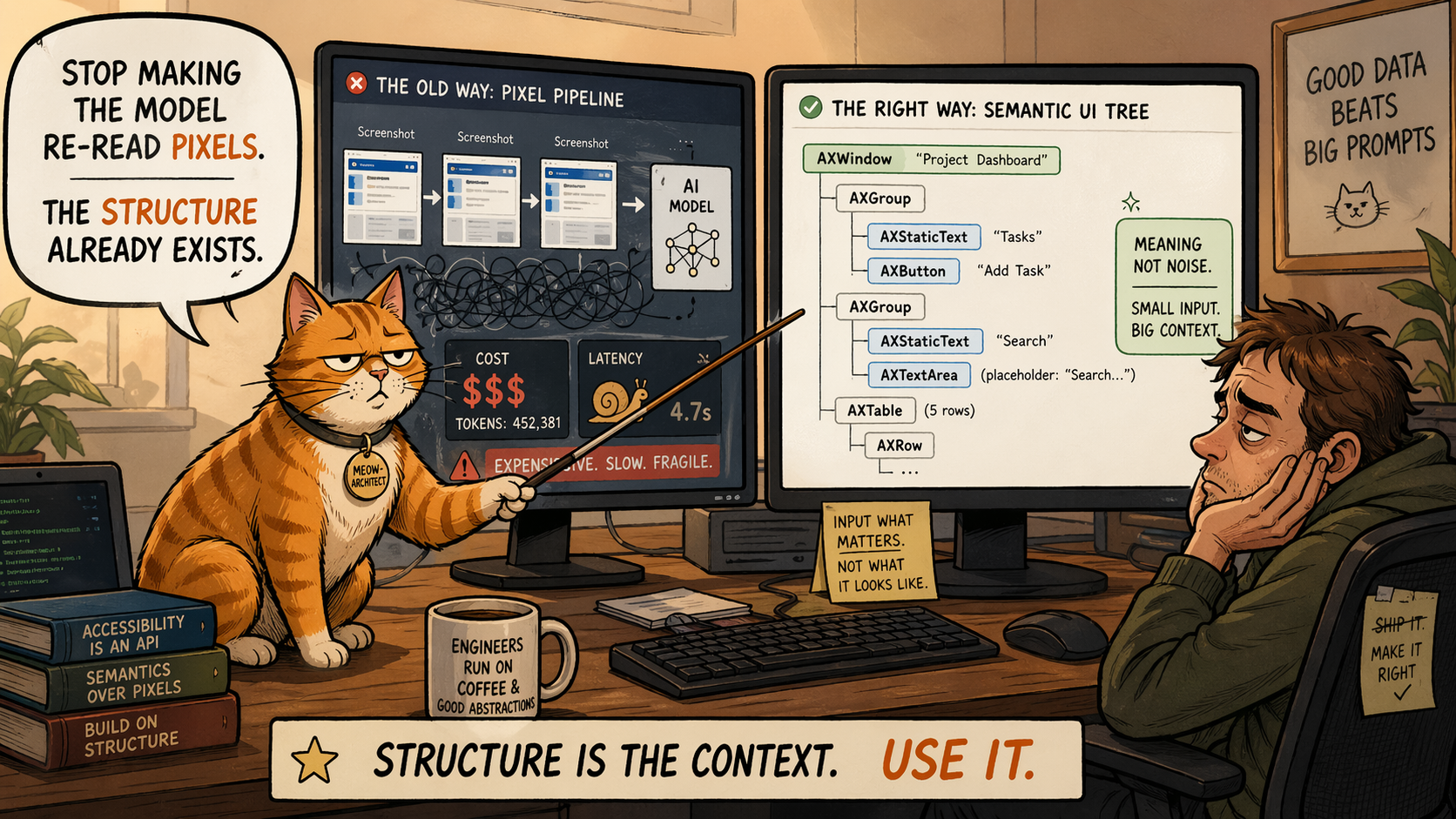
Screenshots feel like the obvious starting point for giving an AI agent environmental context on macOS - every app renders pixels, no integration needed. But they're slow, expensive, and strip out structure that already exists. The macOS accessibility API gives you that structure directly from the UI tree. It's not universal, but it's the better default.
I spent a week trying to make an AI agent understand what I was working on.
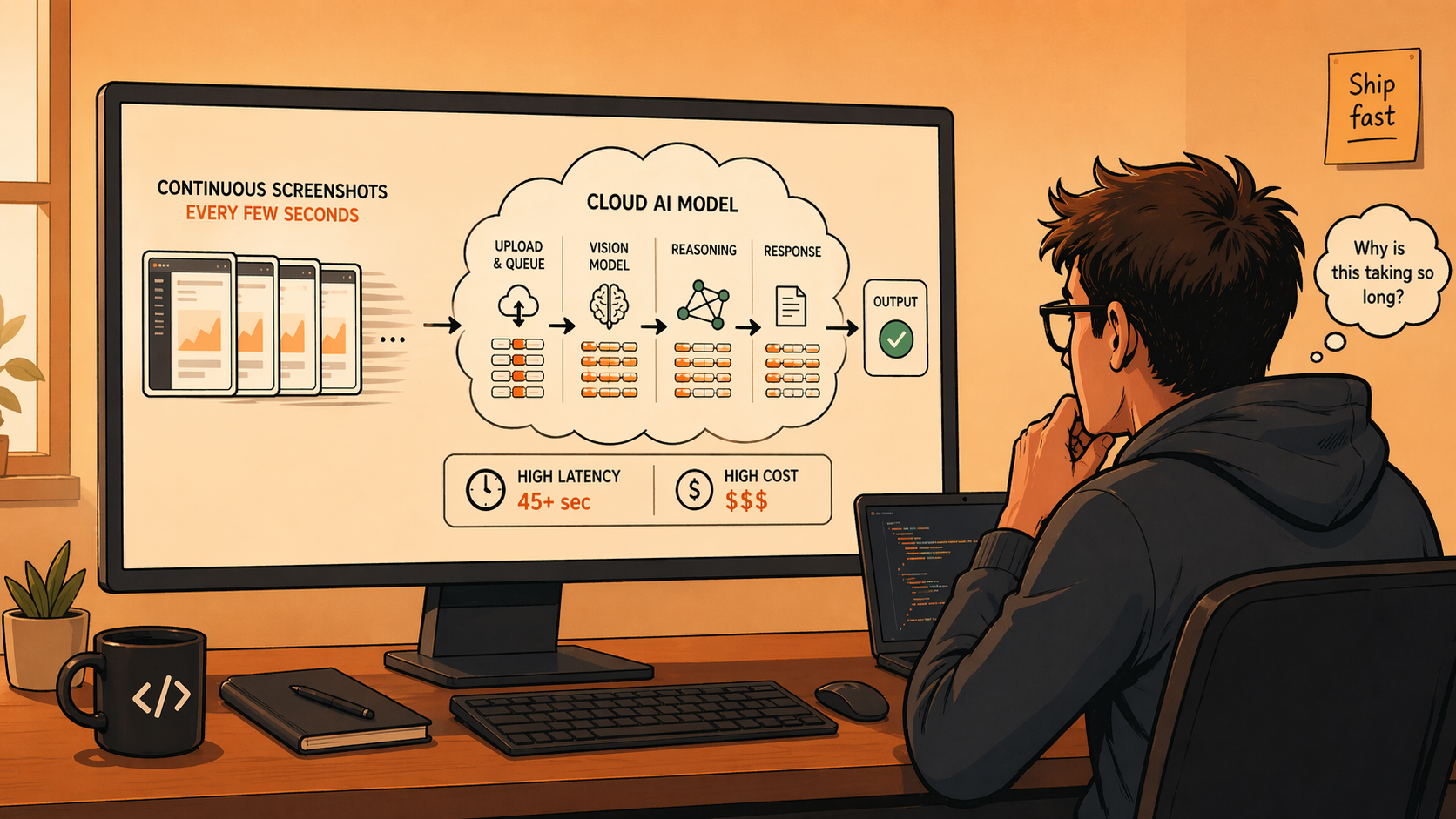
The approach I started with: screenshot every few seconds, send the image to a vision model, ask "what's happening here?" It worked. Then I looked at my bill.
But cost wasn't really the problem. I could have throttled the rate. The real issue was what I was doing to the data.
A screenshot is the final rendered form of information that already exists in structured form. Text fields, buttons, lists - all of that is known to the system before it becomes pixels. By taking a screenshot, I was flattening structured data into an image and then asking a model to reconstruct it. The OS already knew. I was just going the long way around.
Why screenshots feel right (and aren't)
Screenshots have one real argument: universality. Every app renders pixels. You don't need integrations, internal access, or anything beyond screen recording permission. You can build a demo in an afternoon.
That simplicity is also the trap. Screenshots discard structure. A button becomes pixels. Text becomes pixels. Element hierarchy disappears. The model has to infer things the system already knew explicitly. And if you're running continuously, you're paying vision model costs to re-interpret the same screen state on every tick.
The accessibility tree
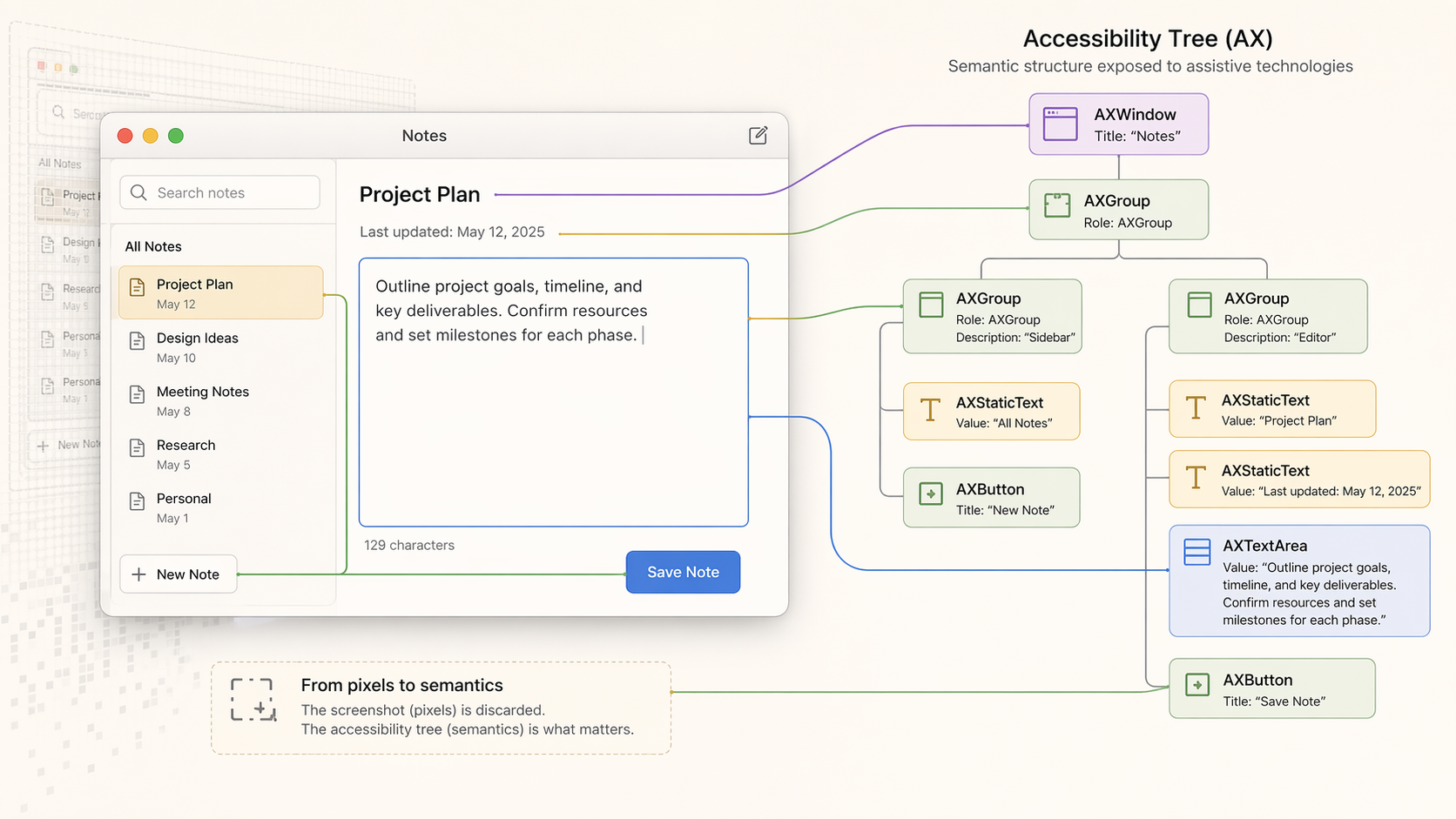
On macOS, apps expose their UI through the accessibility system as a structured tree. Every window, button, text field, and list item has a role and a value - the same data the OS uses for VoiceOver.
Instead of capturing a frame and interpreting it, I could walk the tree and read directly.
Here is the minimal shape of the Rust FFI I ended up using:
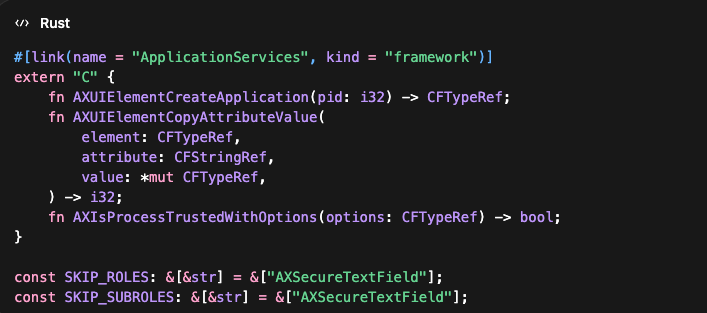
Text came as text. Elements came with roles. Context was explicit instead of inferred. It runs locally and is fast enough to poll continuously without repeated vision calls.
The hard part wasn't accessing the API. It was deciding what to read and what to ignore.
AXSecureTextField has to be excluded - anything under it is sensitive and should never be captured. If you don't filter aggressively, you're reading data that has no business leaving the device.
Where it breaks
This isn't universal.
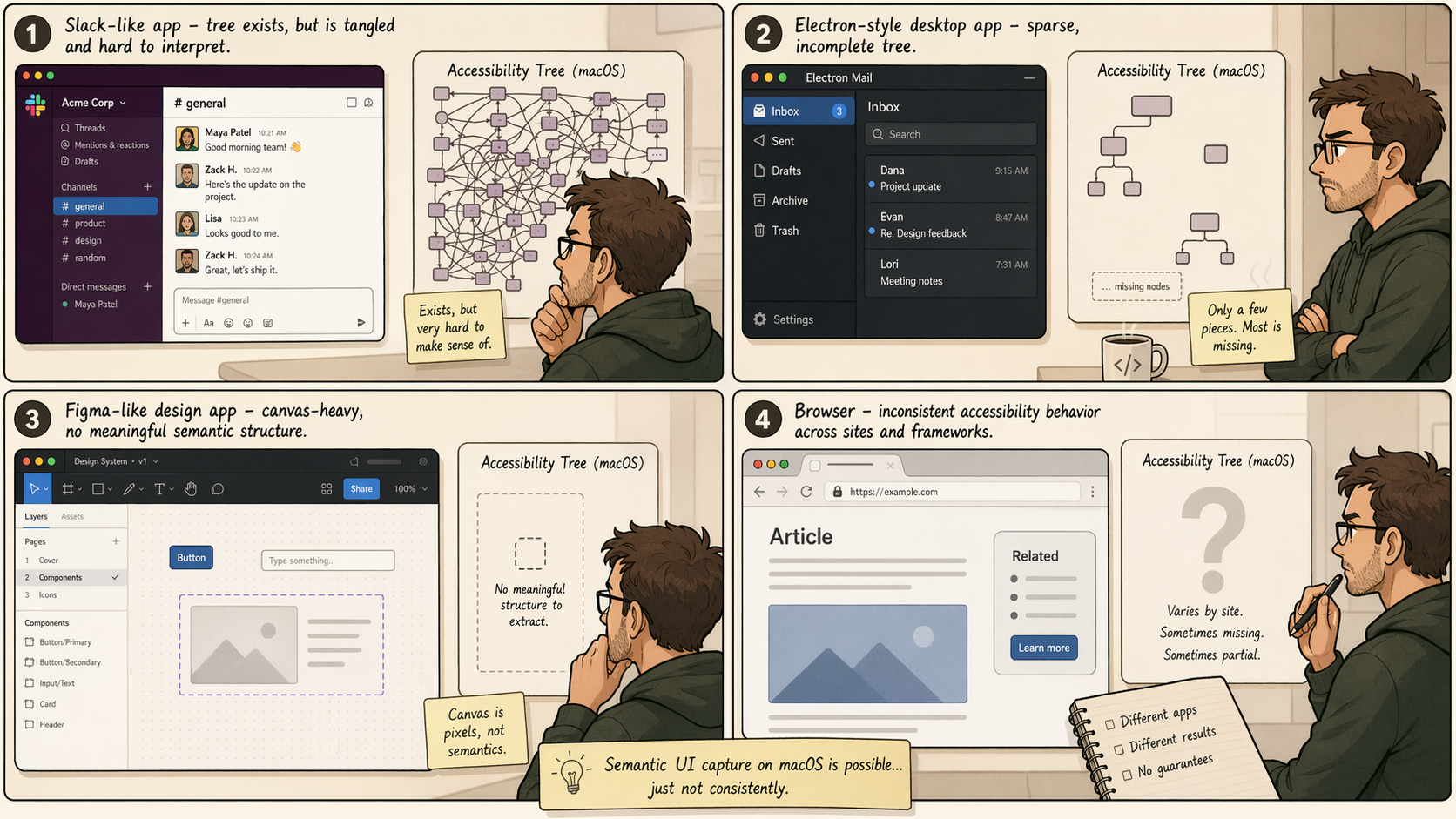
Slack exposes accessibility data, but mapping it to something useful took iteration. The structure exists, it just doesn't always align cleanly with what you care about.
Electron apps are inconsistent. Some expose partial trees. Some expose almost nothing.
Canvas-heavy apps like Figma are worse - the UI is pixels by design. There's no semantic structure to walk. You fall back to vision, full stop.
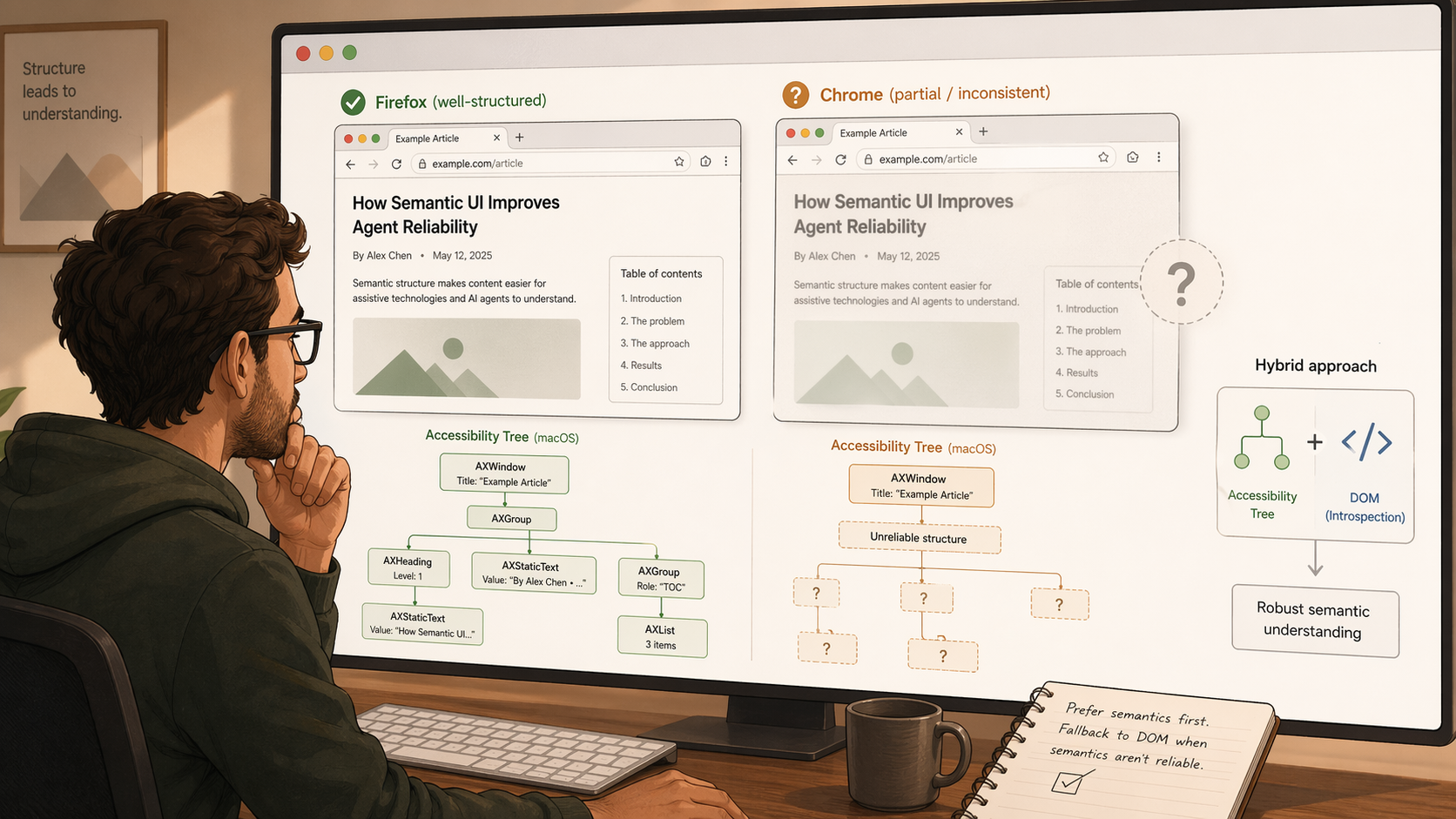
Browser behavior is uneven. Safari gives me what I need out of the box. Chrome is less predictable - I've seen "it just works" and "you need a specific accessibility mode" from different sources, and I haven't tested it enough to say which is true.
There's also user friction. macOS requires an explicit accessibility permission grant. The prompt isn't trivial. Some percentage of users will stop there.
So it doesn't replace everything. It works well in some environments and not at all in others.
Why I'd still start here
When it works, it gives you structured, semantic, low-latency context without reconstructing meaning from pixels. That simplifies the system - vision becomes a fallback for the cases AX can't cover, not the default for everything.
I built this as part of the context layer for CORE, where the goal was giving agents a baseline understanding of what a user is working on without requiring repeated input. The accessibility API is what made that feel lightweight. It captures the shape of the environment without asking the user to describe it.
What it actually changes
With semantic capture running quietly in the background, the agent doesn't have to open every interaction by asking what you're working on. It already has the basic shape of the environment.
The difference shows up in simple moments. If you write "ping Sarah about Q3 budget," the agent has a much better shot at turning that into the actual email without first asking who Sarah is or what Q3 budget refers to. The model didn't get smarter. The agent just showed up with context.
That's the real value of this layer. Less setup work before the agent can be useful.

What I'm still figuring out
Chrome is the main gap.
Safari and Dia give me semantic tab content without any extra work. Chrome doesn't have a clear answer yet. The obvious fallback is a Chrome extension that exposes DOM content as a first-class signal while AX handles everything else - I haven't built that yet.
If you've worked on this problem before, especially around Chrome, I'd be interested in hearing what broke.
What I'm building at CORE
This came out of a specific problem I kept running into while building CORE - an open source AI butler whom i can delegate my work. The agent needs to know what you're working on to be useful. Asking the user every time defeats the purpose.
The accessibility layer is one part of how CORE builds that environmental context passively - so when you drop a task like "follow up with the design team on the landing page," the agent already has enough signal to act on it without a three-message setup conversation.
If that's a problem you're thinking about too, the code is on GitHub.